


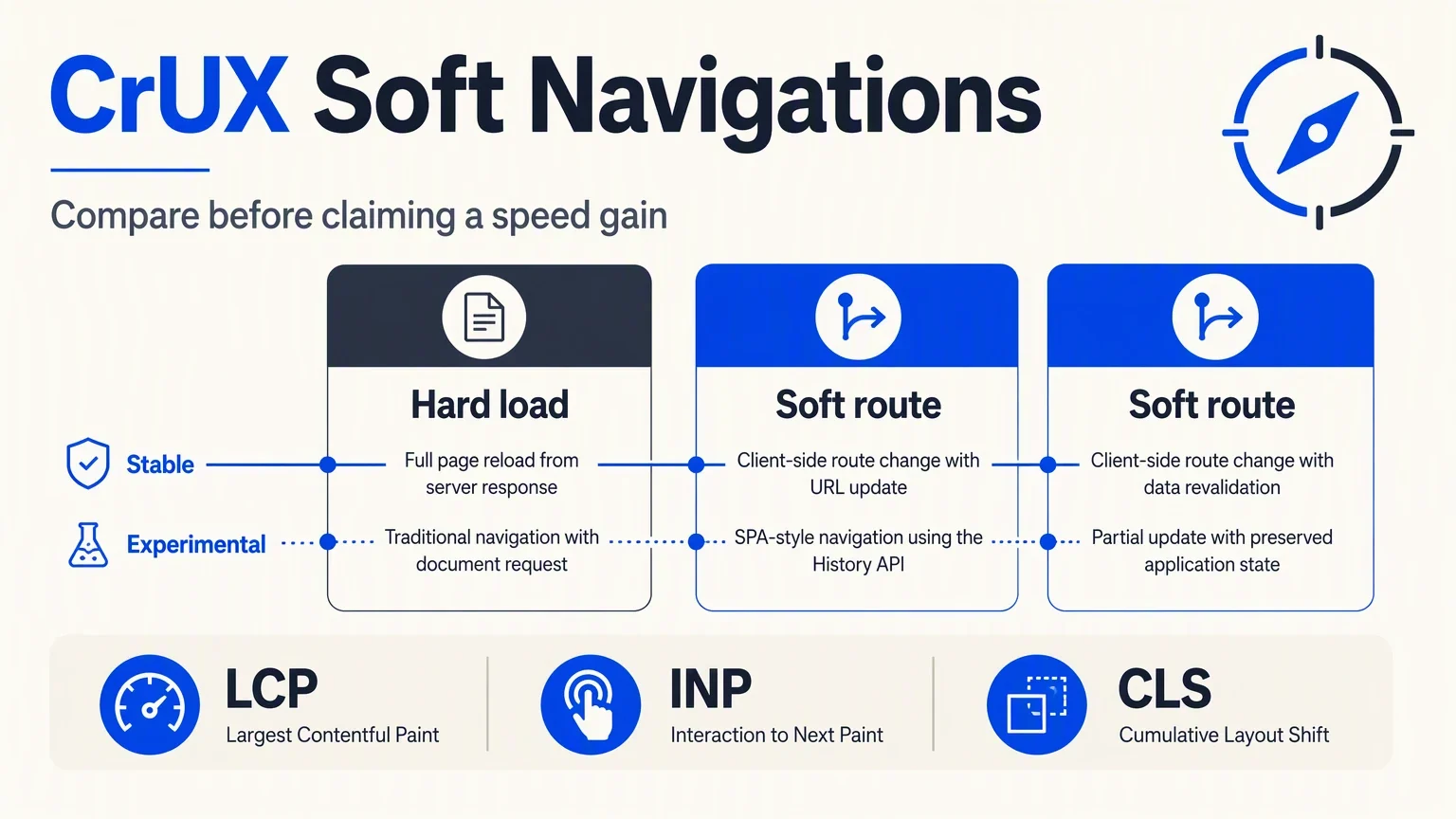
You can now compare the usual CrUX metrics with experimental versions that include soft navigations. For a single-page application, use that comparison to identify routes worth investigating. Keep the two versions labeled separately: a better experimental result can reflect a different measurement boundary, even when you have deployed no performance changes.
Chrome added the experimental metrics in the October 13 release of the September 2026 dataset. They are available in BigQuery and the CrUX APIs, with visualization support in CrUX Vis. Chrome's release notes
Audit outcome: A comparison sheet for selected URLs or an origin, plus one route to investigate. You need a public site, access to CrUX Vis, and a way to inspect the relevant journey in a browser. Allow roughly an hour for a small pilot, excluding engineering fixes. You are done when the records use matching scope and device settings, and each finding has a next action or a clear data limitation.
1. Choose a journey with an actual URL change
Start with a journey a visitor can complete: a category page to a product page, a search result to a listing, or a documentation index to an article. Record the URLs in order.
A soft navigation is an in-app transition where JavaScript changes the content and URL without loading a new HTML document. Chrome's measurement uses detection rules; a framework's route-change event alone is not proof that the browser counted a soft navigation. Chrome's soft-navigation documentation
Open the browser's Network panel and observe whether the journey requests a new document at each transition. This is a practical first check of how the site navigates, not a substitute for verifying browser detection.
Save the starting URL, destination URL, browser version, and whether the transition used a full document load. The completed output is a short route list with the navigation behavior attached.
If the journey changes content without changing the URL, pick a different journey for this audit. If it loads a new document at every step, retain it as a comparison, but do not expect this experiment to reveal a large soft-navigation effect.
2. Freeze the report scope before comparing values
Open CrUX Vis and enter the chosen public URL or origin. Check the available data, select the device form factor you want to inspect, and record the collection period.
A URL record and an origin record answer different questions. The first concerns a particular page address; the second combines eligible activity across the origin. Treat origin data as a broad view when route data is missing, not as a measurement of the missing route.
Your comparison sheet should include:
Record field | Example of a valid entry |
|---|---|
Scope | URL or origin, with the exact address |
Device | Phone or desktop, matching across both records |
Collection period | Exact dates shown in the report |
Metric version | Stable or experimental with soft navigations |
Availability | Present, unavailable, or origin fallback |
Site release | Deployment identifier or "no deployment in period" |
Do not enter zero when a field is unavailable. Zero means something was measured and its value was zero. Missing data is a different result.
If a URL has no record, inspect the origin if available and mark the fallback. If neither has data, save the coverage limitation and use browser diagnostics or your own real-user monitoring for the journey. The audit still produces a useful conclusion: public CrUX data cannot answer that route question yet.
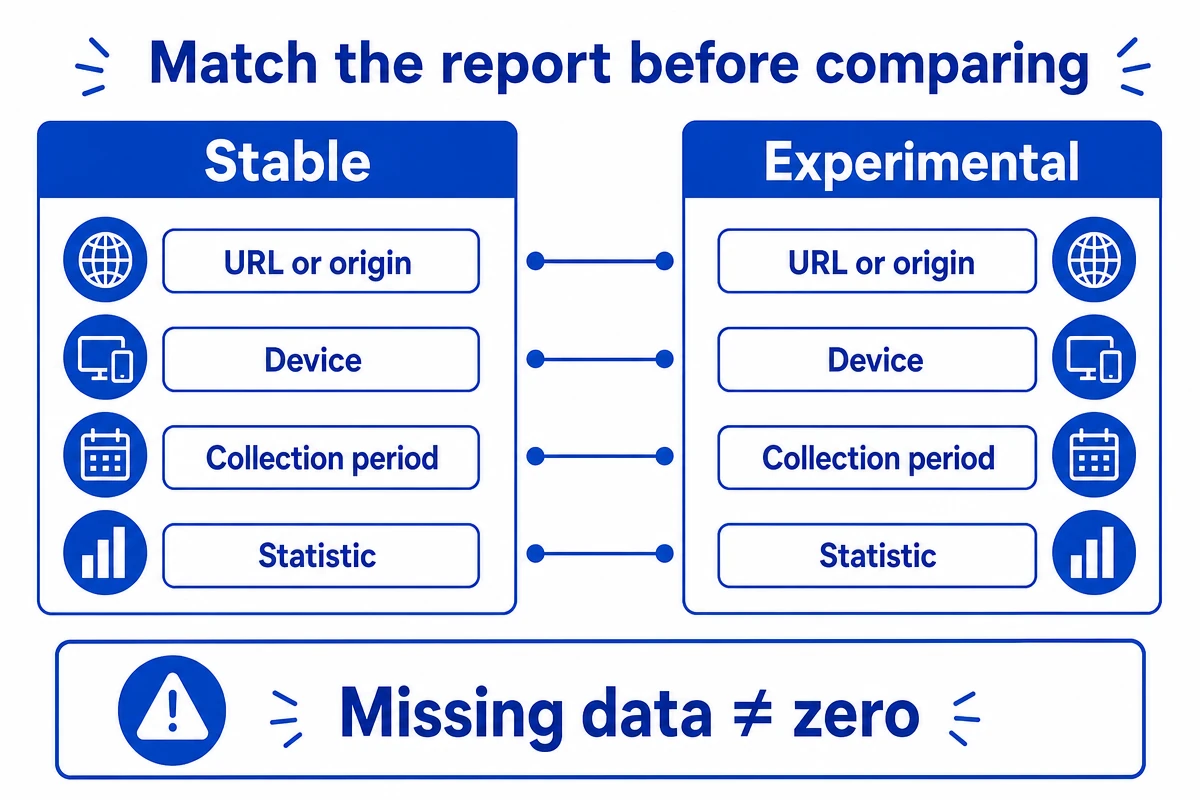
Match the report scope before comparing stable and experimental values.
3. Record stable and experimental results side by side
Save the stable view first. Then use CrUX Vis's soft-navigation comparison option and save the corresponding experimental values without changing the scope, device, or reporting period.
For an API or BigQuery handoff, include the exact new metric names from the release documentation:
Experimental field | Dimension being measured |
|---|---|
| Loading performance |
| Responsiveness |
| Visual stability |
These are parallel experimental variants of LCP, INP, and CLS. CrUX's experimental-metric announcement
Record either percentile values or the share of experiences in a category, according to what the report displays. Label the statistic. A percentage of "good" experiences and a latency value are not interchangeable, even if both appear under LCP.
If the experimental option is unavailable, check the release date and tool support, then retain the stable data. Do not manufacture the missing experimental result by dividing the stable score by the number of routes.
4. Explain the difference before calling it an improvement
Consider this illustrative record. These numbers are invented to demonstrate report interpretation, not observed results from a website:
Metric at the same scope, period, and device | Stable value | Experimental value |
|---|---|---|
LCP percentile | 3.2 seconds | 2.1 seconds |
INP percentile | 260 milliseconds | 180 milliseconds |
CLS percentile | 0.14 | 0.08 |
The table would justify investigating why the measurement versions differ. It would not justify saying an engineering release reduced LCP by 1.1 seconds.
Chrome explains that including follow-up views changes how SPA experiences are represented, and that interactions and layout shifts can be segmented by view. Stable Core Web Vitals remain unchanged during the experiment. Chrome's explanation of the measurement change
Write a finding such as: "The experimental dataset reports lower route-aware values under matching conditions. We have not established a performance improvement caused by a deployment."
If the two versions barely differ, retain that result too. An unchanged comparison is useful evidence against spending a sprint on a reporting discrepancy.
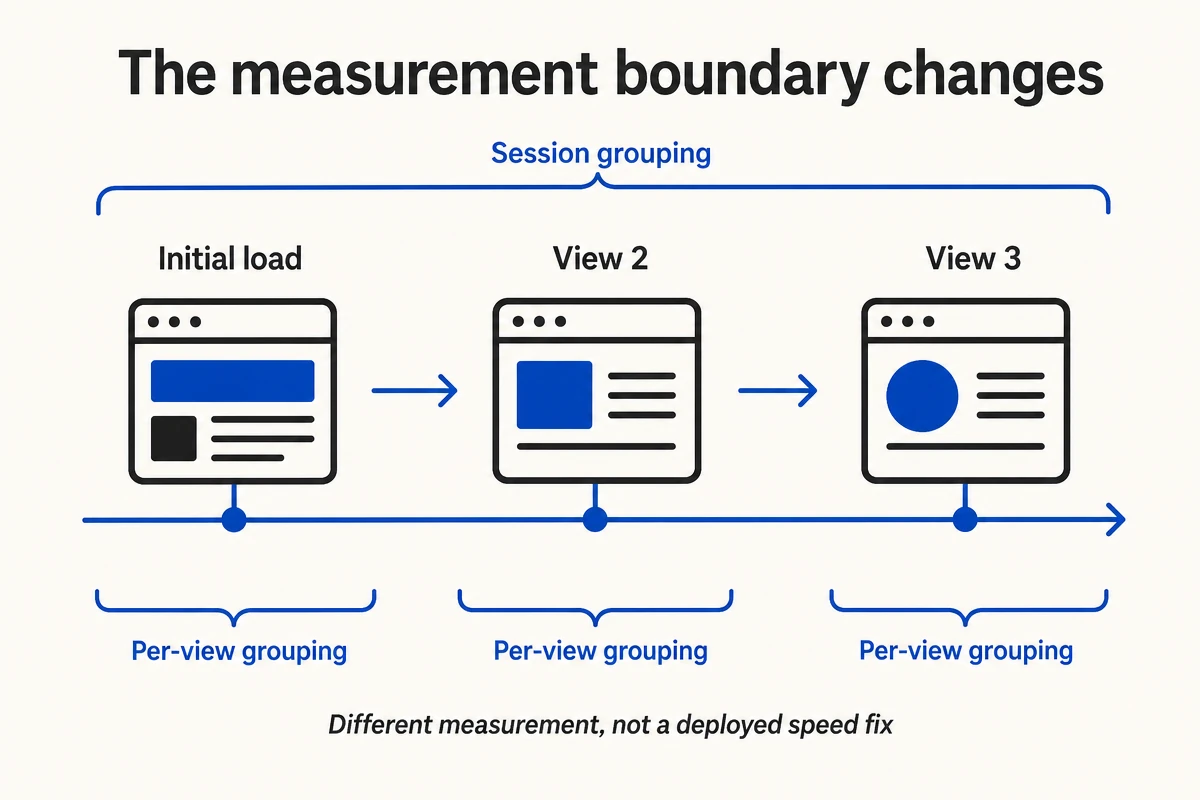
A different measurement boundary can change the report without a performance deployment.
5. Investigate one expensive transition
Choose the transition most closely connected to a business task, such as opening a product or starting a booking. Reproduce it in a clean browser session and capture a performance trace.
Inspect the visible experience alongside the trace. Does the destination show a blank region before its main content appears? Does a click trigger a large amount of JavaScript? Does a banner move the primary action after it becomes visible?
The expected output is one issue with a reproduction path and supporting evidence. For example:
Category to product: the route loads a large recommendation module before the primary product content becomes usable. Investigate whether the module can load later, then compare the same journey after the change.
That is an investigation hypothesis, not a diagnosis established by CrUX alone. Verify the cause in the trace before changing code.
If you cannot reproduce the issue, check a slower device or your real-user data. Keep the CrUX finding open rather than claiming a fix based on a fast local run. When using a RUM provider, confirm its soft-navigation support; Chrome notes that support and browser coverage need attention. Implementation considerations
Verify the audit before sharing it
A reviewer should be able to answer these questions from the worksheet:
- Which exact scope, device, dates, and statistic were compared?
- Were both metric versions available, or was there a fallback?
- Did the site deploy a change during the period?
- Which journey is being investigated, and what evidence supports that investigation?
- Does the conclusion distinguish measurement behavior from a deployed improvement?
Save the report captures and browser evidence beside the worksheet. Retain the stable metric in existing reporting until you deliberately change the reporting definition.
Chrome targets May 2027 for the metrics to leave experimental status, subject to feedback, and says Search Console will adopt the new data after graduation. Treat that as a planned transition, not a guaranteed deadline. Chrome's next-step statement
At Auspia, we would use the extra view to choose a better investigation. We would close a performance task only after the actual journey improves under a comparable test.
Two practical questions
Does a good experimental result guarantee better rankings?
No. Google recommends good Core Web Vitals as part of page experience; a passing metric alone is not a promise of search visibility. Keep your performance evidence and search outcomes as separate records. Google's Core Web Vitals guidance
Should we rebuild a multi-page website as an SPA?
This audit provides no reason to make that architectural change. Choose an architecture for the site's requirements, then measure how well it serves visitors. The experiment helps interpret existing journeys.
Author: Julian Mercer, 14-Year Technical SEO Practitioner at Auspia. Julian writes about crawlability, rendering, and the technical foundations of search visibility.


